






See what's next before your audience does
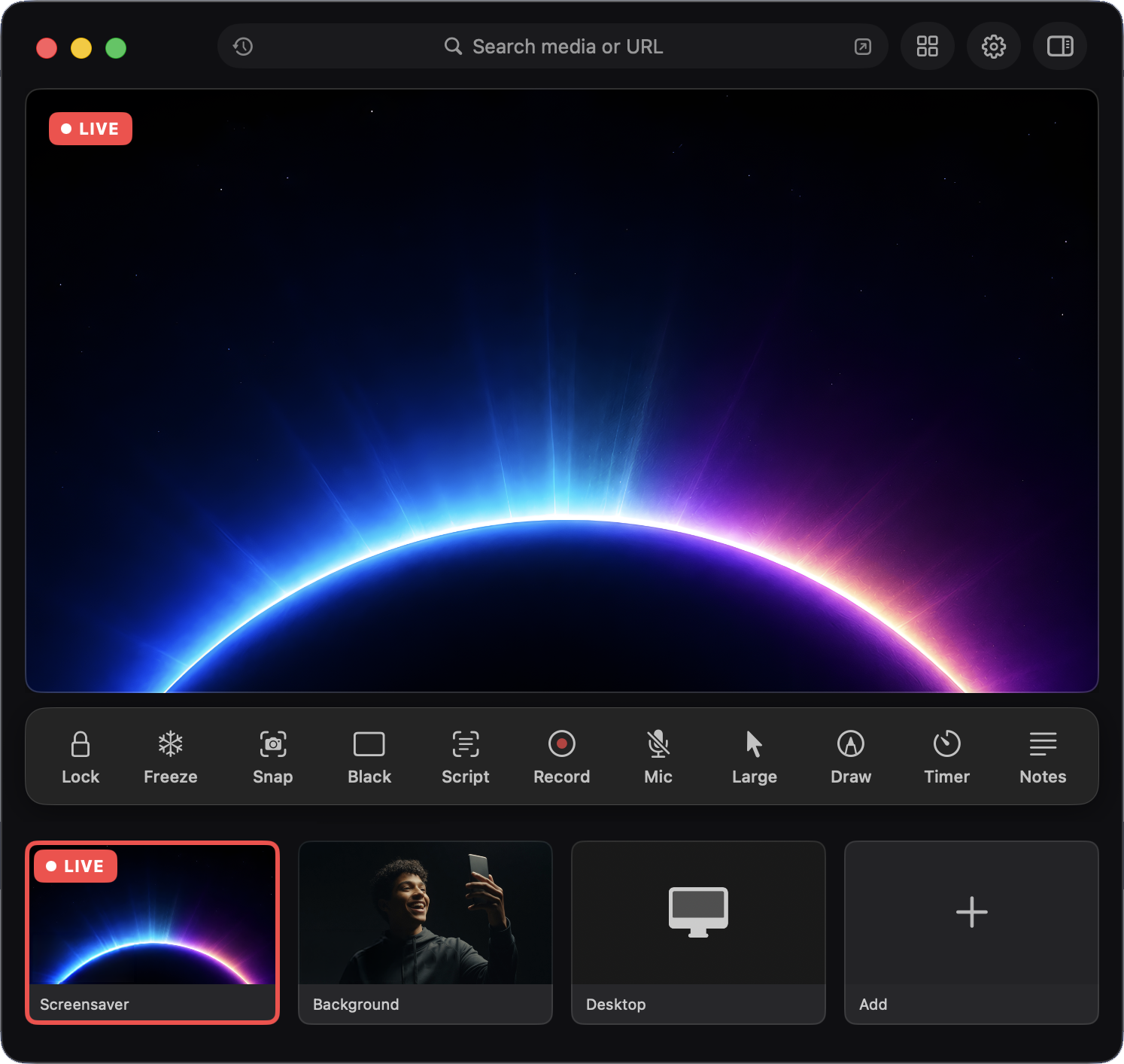
Line up the next thing privately while the audience keeps watching what's on screen now.
Easily display a presentation, website, app, and more without awkwardly dragging windows or accidentally showing your desktop.
Amaze your techy friends, impress your audience and enjoy the moment.
Easily and instantly switch between displaying a presentation, website, app, and more all from one place.
Stay in control
Keep your notes and desktop private, see what's coming next, and switch without a hiccup.
Line up the next thing privately while the audience keeps watching what's on screen now.
Hold the current image, cut to black or white, or lock the display while you fix something behind the scenes.
Send your presentation to a projector, TV, or second screen with smooth fades.
Fill the screen, fit the whole image, or go vertical for portrait displays.
Your notes and controls on one screen, the audience view on the other.
Live tools
Timers, templates, music, recording and more.
Count down, count up, or show the time — start, pause, and reset anytime.
Wi-Fi info, announcements, QR codes, name banners, Up Next, scoreboards, and more.
Drag, resize, and place an image on top of what's showing.
Layer a looping video over your live display.
Add a small camera window on top of anything you're showing.
Mark up the live display for teaching, coaching, or making a point.
Play music, sound effects, and playlists on cue.
Save a video of everything you showed, with sound.
Remote control
Control slides, blackout, and what's showing from any phone on the same Wi-Fi — no app to install.
Trigger anything from the keyboard, even while you're in another app.
Pop up a search box and jump to anything instantly.
A simple now / next / timer screen for you or a helper.
Send your display to an Apple TV or another computer's browser on the same Wi-Fi.
Show Eclipse in Zoom, Teams, or any meeting app as your camera.
Get Eclipse
Annual subscription for macOS.
FAQ
No. Eclipse works alongside PowerPoint and helps control what the audience sees — including Presenter View workflows. Use PowerPoint (or Keynote, Google Slides, Canva) to build; use Eclipse to run.
No. Everything stays on your Mac. The only network use is optional local Wi-Fi for the phone remote and casting to another screen.
Eclipse is best with an external display, projector, or TV — that's the whole point of keeping the audience view clean. It's still useful on a single Mac for setup, preview, and rehearsal.
Yes. Eclipse can send its picture and sound into Zoom, Teams, or streaming apps, so what your audience sees in the room is what people see online. Setup varies a little by app.
macOS 15.6 or later.
Eclipse is $179/year. Volume pricing for 4+ seats is $149/seat/yr. Both are annual subscriptions for macOS.
No. Eclipse runs entirely on your Mac — no sign-in, no cloud sync. A Moxie account is only needed to purchase and manage your license.
Up to 2 Macs per license.
Yes — the phone remote works from any browser on the same Wi-Fi, no install needed.
Still curious? Contact support.